 ScriptureCaster
Features
Projecting
Most projection software takes the screen the moment it opens and holds it for the whole service. ScriptureCaster borrows it for as long as a verse is up, and gives it straight back.
Borrowed, not occupied
Nothing appears on the projector when the app starts. The screen belongs to whatever else is on it — a video, another program, the desktop — until you project a verse. Esc hands it back.
That means the app can sit open through a whole service without owning the projector, and the same screen can carry other content between readings with nothing to switch or minimise.
There is no black slide and no black button. Either a verse is up, or the screen is free. The app has no state where it deliberately shows nothing.
The strip under the controls carries the only two facts that matter live: what is queued, and what the congregation is actually looking at. They are often different, and that is the point — you line up the next verse while the current one stays up.
One screen, or as many as you have
By default the app finds the first screen that is not the one your control window is on, and uses that. Laptop plus projector is already right, with nothing to configure.
For more than one, Settings → Screens lists what is being driven. Each row is one screen:
| Setting | What it means |
|---|---|
| Screen | A specific display, or Automatic — the first screen nothing else has taken |
| Shows | Both languages, the first alone, or the second alone |
| On top | Which language sits above the other, when both are shown |
So the main projector can show Romanian over English while a foyer screen shows English alone, from the same tap. Every screen goes live together and Esc releases them all at once. Two screens set to Automatic will never land on the same display.
The output is drawn to fit whatever the screen is, so a 1024×768 projector and a 4K screen both get properly sized text.
If the projector is not found
Press F5 to re-detect. If Windows only reports one screen the desktop has not been extended: Win+P → Extend. Some projectors drop off when they sleep, and F5 after waking it is usually all that is needed.
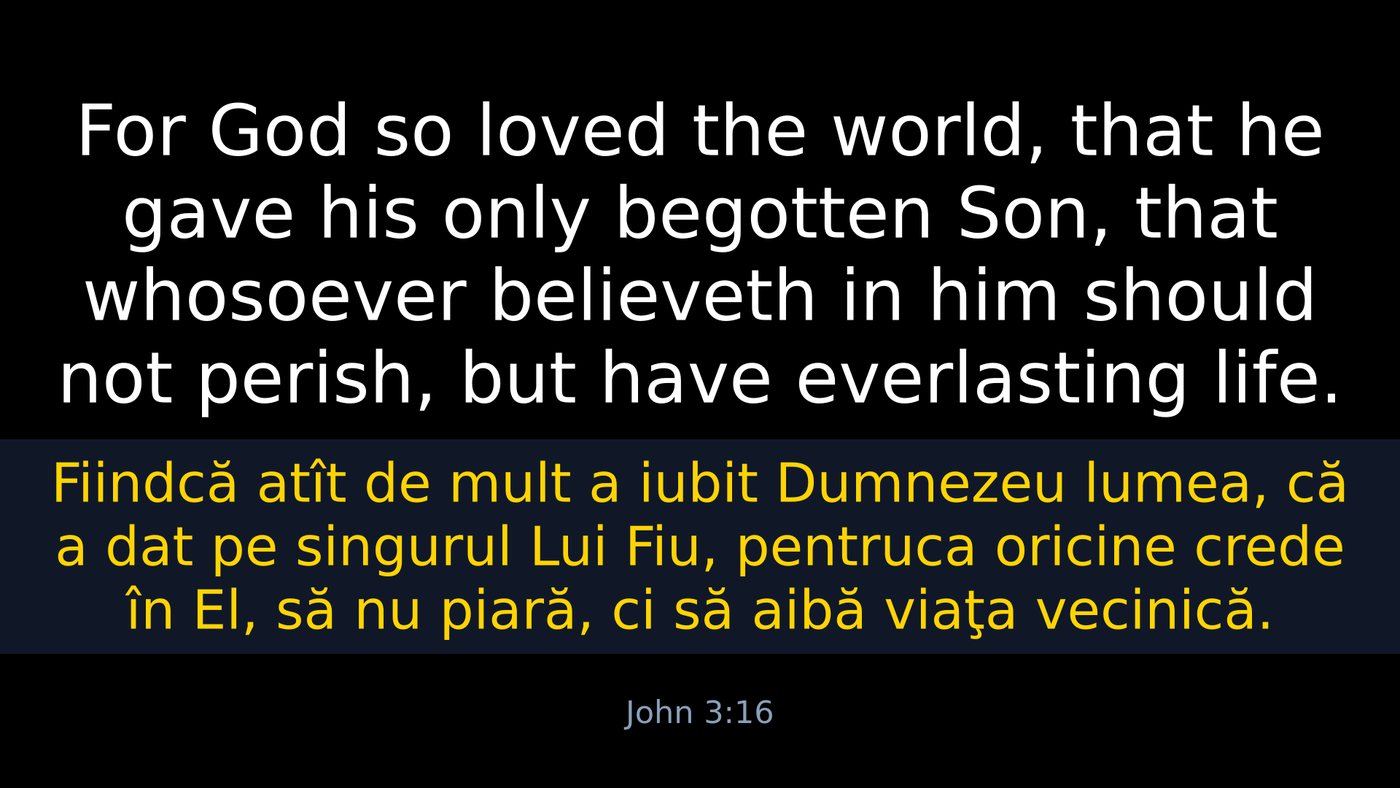
What the congregation sees
The projected slide and the operator's own window are set separately, and it is worth keeping them apart in your head: Settings → Text is the slide, Settings → Appearance is your window. Working in a light control room never puts a light slide in front of the congregation.
| Setting | Effect |
|---|---|
| Background | Background colour of the whole slide |
| Background image | An image instead, scaled to cover |
| Margin | How far the text stays from the edges |
| Space between languages | The gap between the two language blocks |
| Show the reference | Puts John 3:16 under the verse |
Colour and font, per language
Both blocks have their own font, text colour, bold, maximum size and share of the height — plus an optional background band, a full-width strip of colour behind that language only.
The arrangement most churches settle on: black slide, first language white, second language yellow on a slightly darker strip. Leave a block's background empty and it sits directly on the slide background.
Same font as the first language ties the second language's font to the first — one font for both is the common case, so it is a single tick. Sizes stay separate either way, because Romanian and English rarely run to the same length.
How the text is sized
Each block gets a share of the height, then its text is fitted inside that share — as large as it can be while still fitting. A long verse shrinks rather than overflowing, and a short verse beside a long one does not leave a hole, because the fitted blocks are centred as a group. The maximum size stops a three-word verse becoming a wall of letters.
The operator's window
Settings → Appearance switches your own window between the dark theme and a light one, and applies the moment you press OK. Button size scales every touch target — raise it on a large touch monitor, lower it if the window does not fit a small screen.
Interface language lives here too — see two languages at once.
The stream is a separate output
NDI is not a copy of a screen. It has its own languages, resolution and colours, and can carry a transparent background so the verse lays over live video with no chroma key.