 ScriptureCaster
Features
Two languages at once
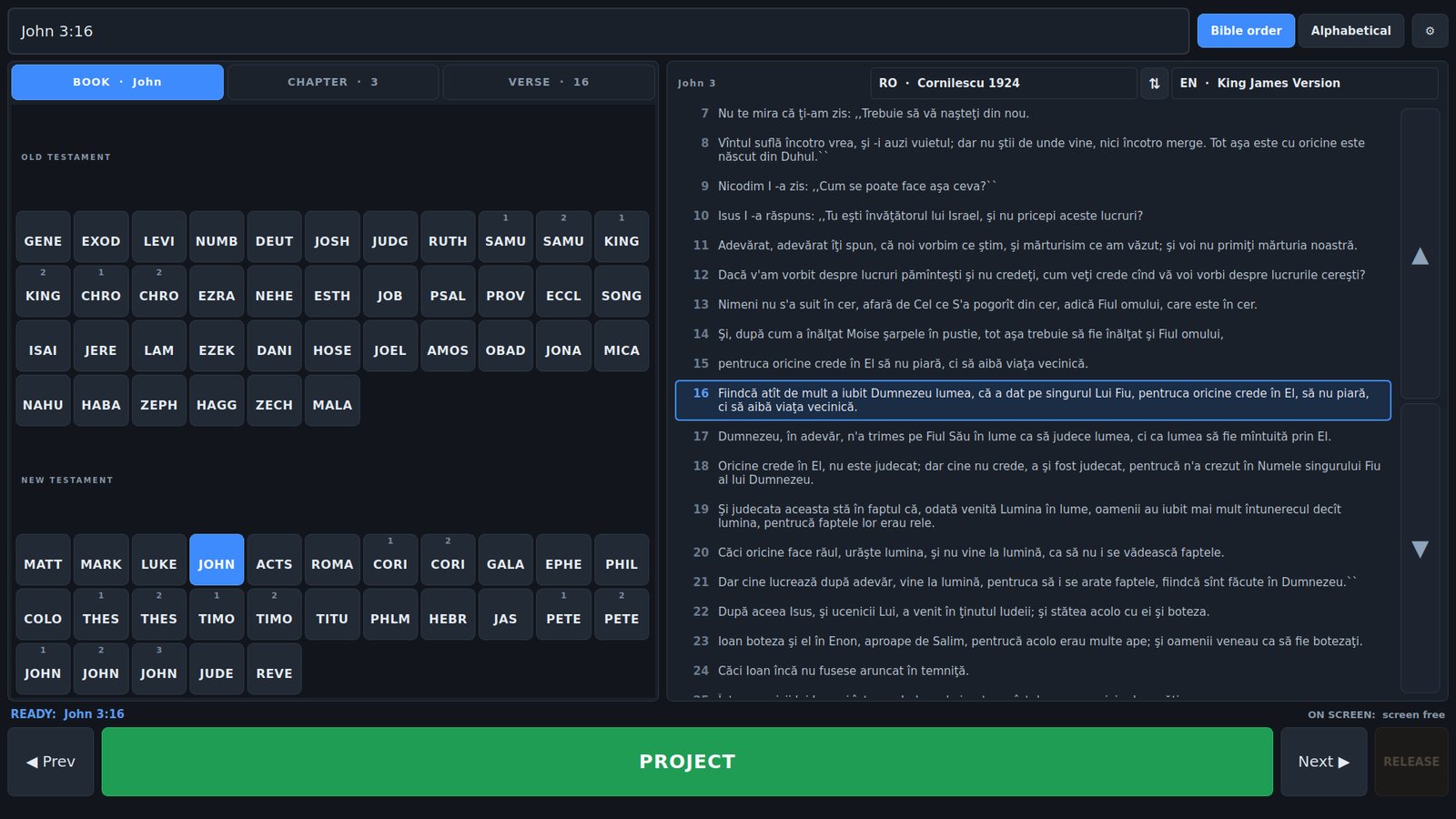
Romanian over English, English over Romanian, or one alone — each with its own font, size and colour. And the operator's own language is a separate question, answered separately.
Three questions, kept apart
“What language is it in?” is really three questions, and mixing them up is how people end up with a projector showing one thing and an operator reading another. Each is answered in exactly one place:
| Question | Answered in |
|---|---|
| What language is the program in? | Settings → Appearance → Interface language |
| What does the congregation see? | Settings → Languages, and per screen on Screens |
| What do you read while you work? | The picker above the passage — and its own one on the tablet |
The language of the program
Settings → Appearance → Interface language. English by default, Romanian available, and it changes everything an operator reads: labels, buttons, tabs, the book codes in the grid, and the page on the tablet. It never shows two languages at once — one setting, one language.
What the congregation sees
Settings → Languages sets the first translation and, optionally, a second underneath it. Which of the two goes on top is a property of each screen, so the projector can carry Romanian over English while a foyer screen carries English alone — from the same tap.
Each block keeps its own font, colour and size, because Romanian and English rarely run to the same length. Swapping the order mid-service for a visiting speaker is one button, with no trip into Settings.
One deliberate exception: the reference line printed on the projector follows the projected translation rather than the interface language, so an English verse reads John 3:16 even when the app is in Romanian. That line is for the congregation, not for the desk.
What you read while you work
The reader beside the passage shows one translation, chosen with the picker above it. It is independent of what is being projected: you can read English while the wall shows Romanian over English.
The tablet works the same way and keeps its own choice, per device — see controlling it from a tablet.
The way back
If the interface ends up in a language nobody at the desk can read, every label that would put it back is also unreadable. So the settings window has a ↺ Reset button in the bottom-left corner, and it offers Language only before it offers Everything.
Language only puts the interface back to English and leaves your screens, colours, fonts and translations exactly as they were.