Free · Windows · Works offline

The verse on the screen, in three taps.

Bible projection software built for the person who actually operates it — a volunteer with a touch screen, standing at the back, with thirty seconds before the reading starts.

No account. No subscription. No internet connection required.

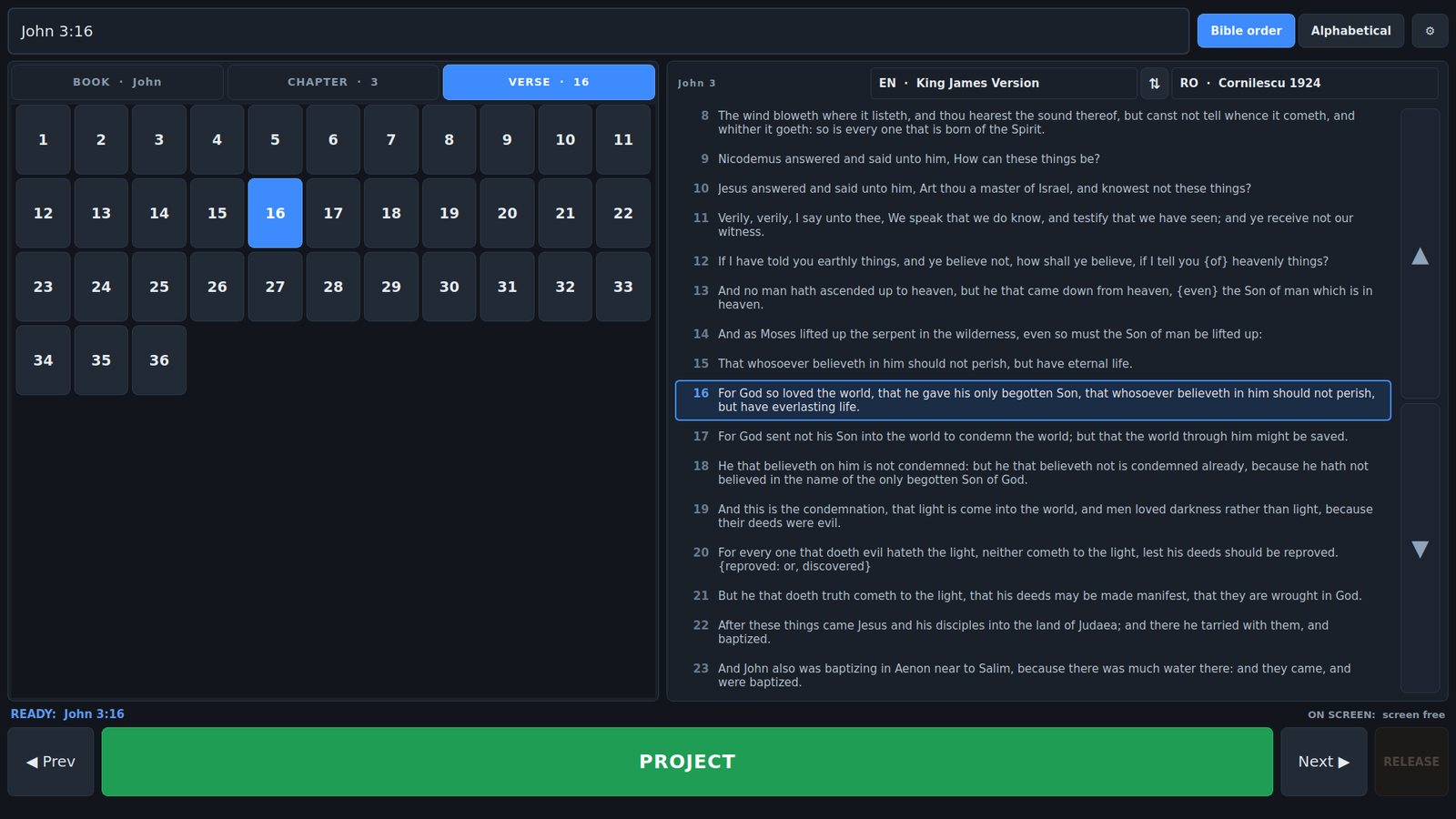
The ScriptureCaster control window: book, chapter and verse on the left, the whole chapter on the right with the selected verse boxed.
The operator's window. Everything for choosing a verse on the left, the whole chapter on the right so you can see what comes before and after.
66
books on screen at once, no scrolling
4 ms
from tapping a verse to it being on the wall
2
translations projected together, either order
$0
now and for as long as it exists

Why it is different

Three decisions that shape everything else

01

Nothing scrolls

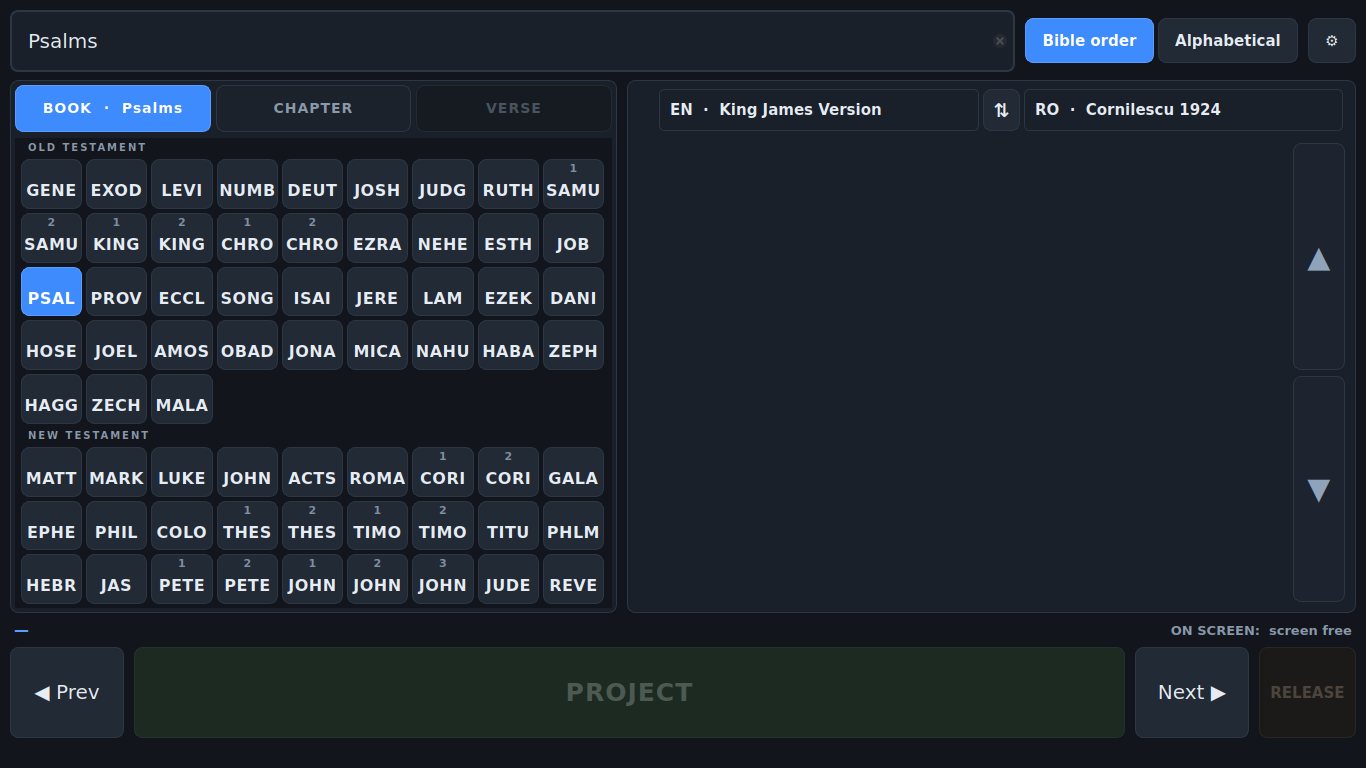
All 66 books on screen at once as four-letter codes. Every chapter of Psalms and every verse of Psalm 119 fit one page at 1080p. A scrollbar is a mouse control, and dragging a list while watching a projector is how you land on the wrong verse.

02

The projector is borrowed

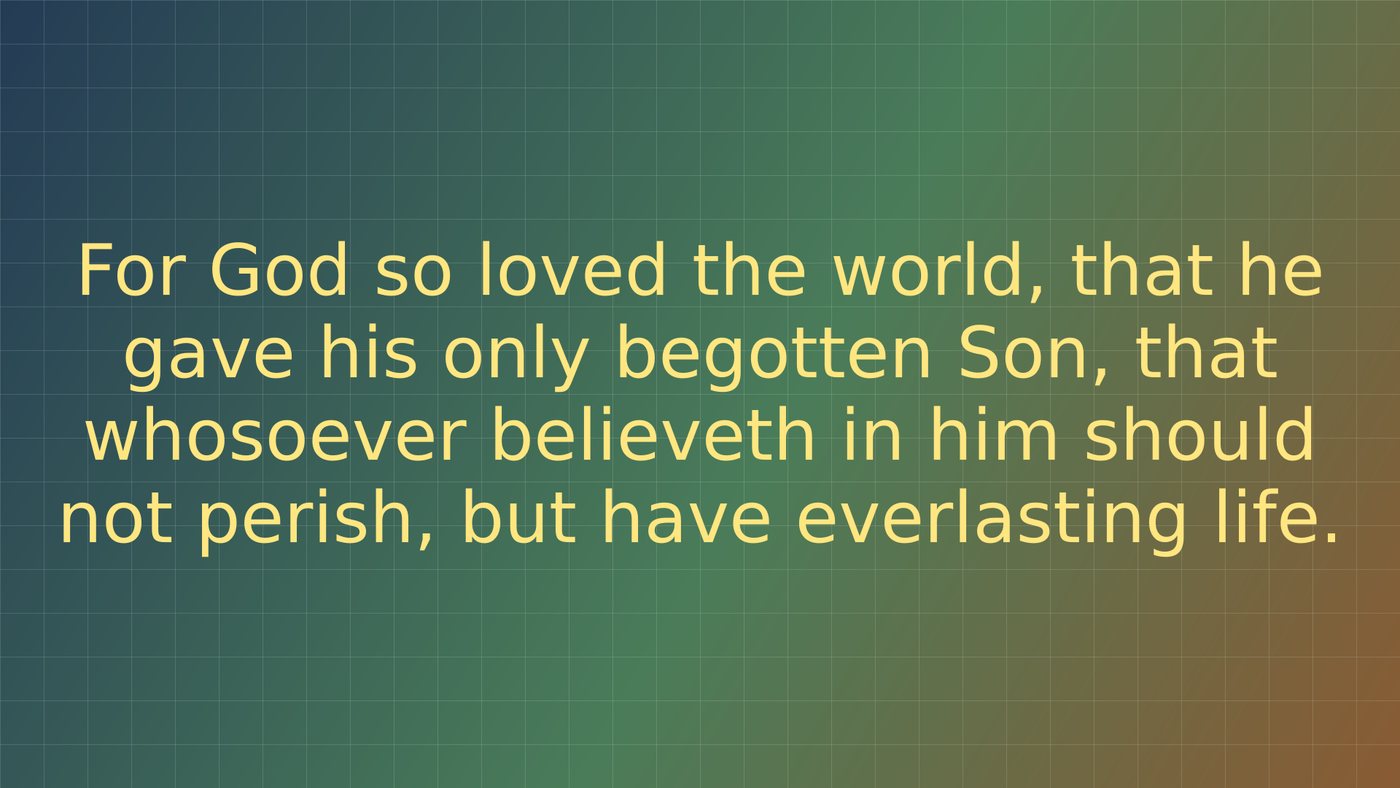
Nothing appears on the projector when the app opens. The screen belongs to whatever else is on it until you project a verse, and Esc hands it straight back. There is no black slide — the app never sits on the screen showing nothing.

03

Two languages, properly

Romanian over English, English over Romanian, or one alone — each with its own font, size, colour and background. Swap the order mid-service for a visiting speaker without opening Settings.

On a Sunday morning

Built for the moment the preacher moves on

Every decision came from the same question: what happens when a reference you did not expect is read out, and forty people are waiting?

Type it if that is faster

mat 3 16 and Enter. The search box takes shorthand, full names in either language, the old abbreviations, and words from the verse itself when the reference will not come.

Read ahead while a verse is live

The passage panel shows the chapter around whatever is up, so you can follow the sermon and line up the next one. What is queued and what is on screen are shown separately, because they are rarely the same.
How the touch flow works →

All 66 book buttons on one screen at 1366×768, split into Old and New Testament.
All 66 books at 1366×768 — the smallest screen it supports.
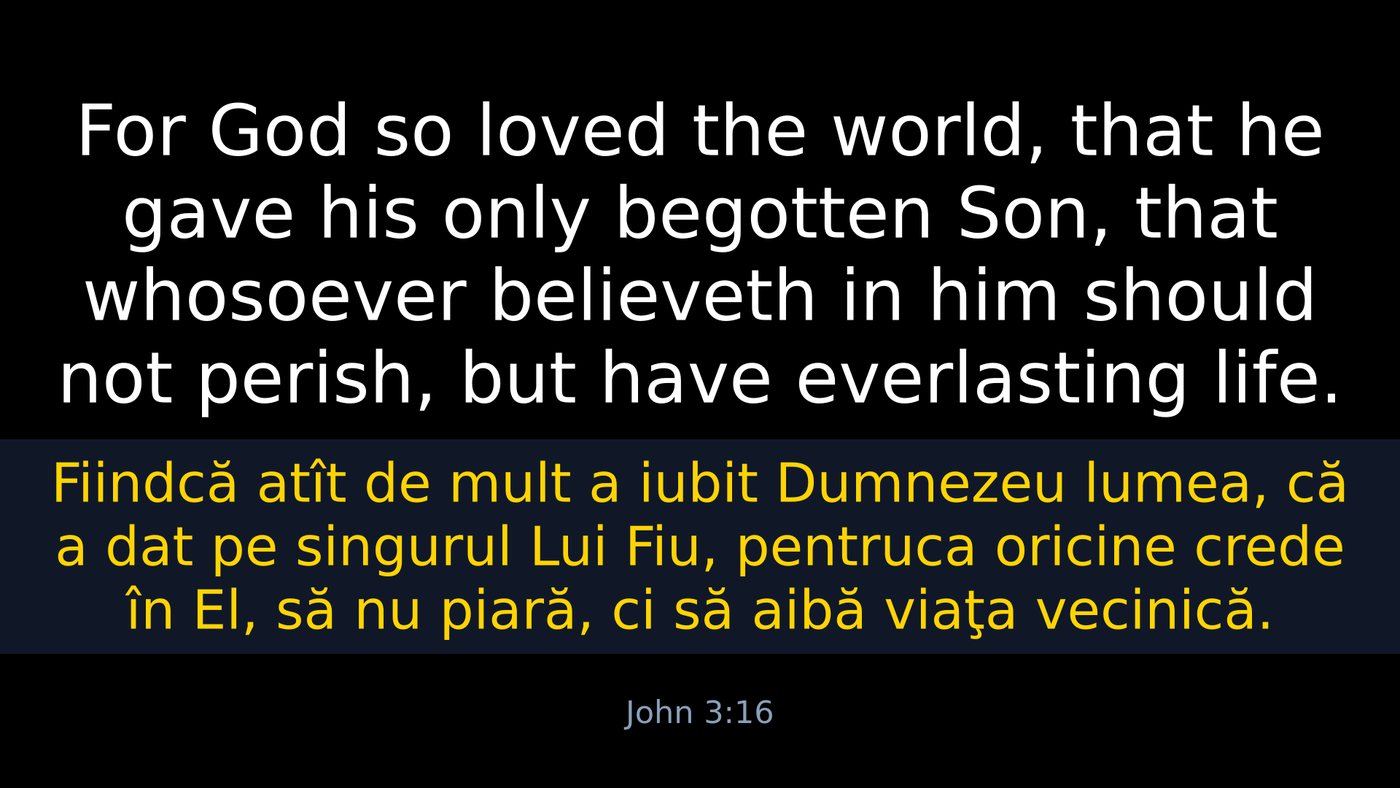
A projected verse: English in white above, Romanian in yellow below, on a black background.
Each language with its own colour, size and optional background band.

What the congregation sees

Two translations, either order, each with its own font, colour and size. Set once in Settings and forgotten — or swapped mid-service with one button when a visiting speaker preaches in the other language.

Escape is the panic key

Whatever else is happening, Esc takes the verse off the projector and gives the screen back. It does that before it does anything else.

How projecting works →

And a stream that is its own output

NDI is not a copy of a screen. It has its own languages, its own resolution and its own colours — and a transparent background, so the verse lays over live video with no chroma key and no fringe around the letters.

The projector carries both languages on black while the stream carries one, keyed, in a colour that reads over camera.

NDI and streaming →

The NDI output composited over video: one language, keyed, with a transparent background.
The NDI stream, transparent, laid over live video.

Scripture

Two translations included, hundreds a click away

Cornilescu 1924 and the King James Version ship with it. From there the Bible library lists every freely redistributable Bible in whatever language you pick, and installs the ones you choose while the app stays open.

29

complete English Bibles, free to redistribute

5

file formats read without conversion

1,294

translations in the catalogue it reads

10s

to install a whole Bible, app still open

Which Bibles, and how to add more

Free, and meant to stay that way

Unzip it, open it, and put a verse on the wall

No installer, no account, no subscription and no internet connection needed. Copy the folder to the projection PC and it runs.